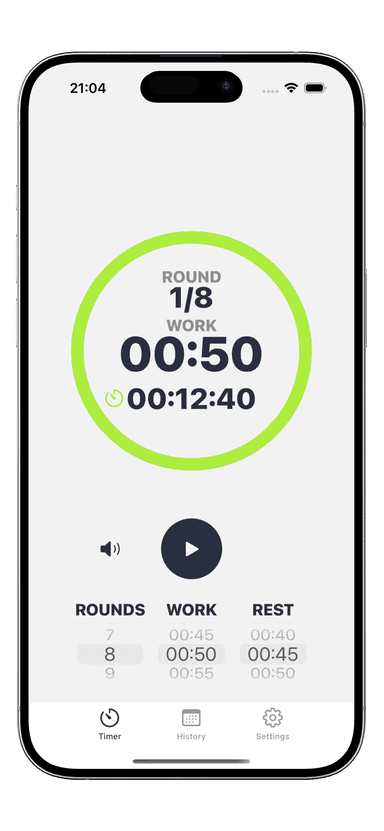
Best Tabata Timer App for iPhone in 2026
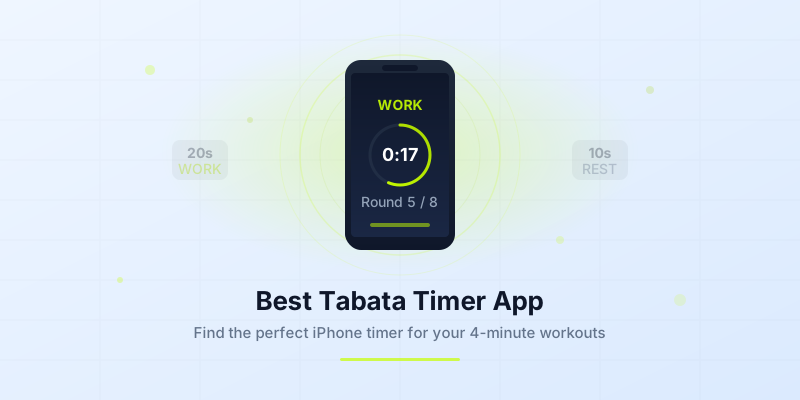
You are standing in your living room, phone in hand, ready to push through four brutal minutes of Tabata. You tap start on a basic clock app — and immediately realize you have no idea when 20 seconds ends, when rest begins, or which round you are on. A proper tabata timer app for iPhone eliminates that friction entirely. It counts your intervals, announces transitions, and lets you focus on one thing: effort.
But with dozens of timer apps on the App Store, how do you pick the right one? This guide breaks down exactly what features matter, why a dedicated timer outperforms a generic stopwatch, and how to get the most from whichever app you choose.
What Makes a Great Tabata Timer App?
Not every interval timer is built for Tabata. A great tabata timer app does three things exceptionally well: it nails the 20/10 protocol without requiring manual setup, it gives you clear audio and visual cues mid-workout, and it stays out of your way so you can train hard.
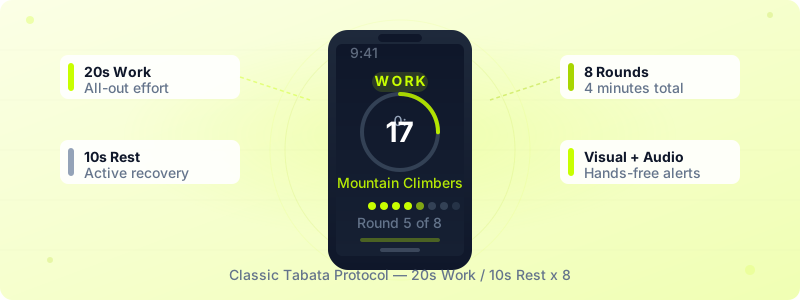
One-tap Tabata presets. The classic protocol is always the same — 20 seconds of work, 10 seconds of rest, 8 rounds, 4 minutes total. You should never need to configure that from scratch. The best apps offer a built-in Tabata preset that launches in a single tap.
Customization when you need it. Once you progress beyond the standard protocol, you will want to adjust round counts, add warm-up and cool-down phases, or stack multiple Tabata sets back-to-back with rest between them. A rigid app will hold you back. Look for one that lets you modify every interval independently.
Reliable background operation. You set your phone down during burpees. You lock the screen to save battery. The timer must keep running and alerting you regardless. Background audio, lock-screen alerts, and vibration support are non-negotiable for any serious tabata workout timer.
Key Features to Look For
When comparing Tabata apps on the App Store, use this checklist to separate the essential features from the nice-to-have extras.
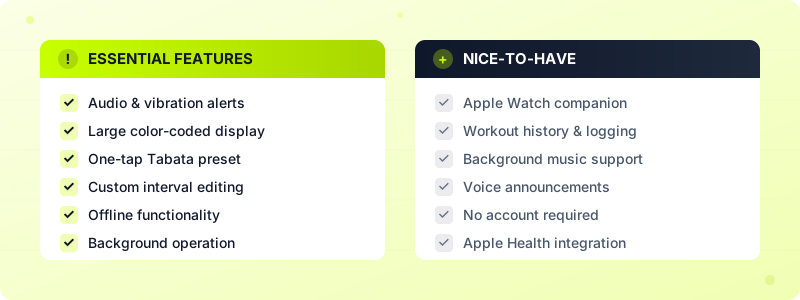
Essential Features
- Audio and vibration alerts — You cannot watch your screen during mountain climbers. Distinct sounds for work, rest, and round transitions let you train eyes-free. Haptic feedback through the Apple Watch or phone vibration adds another layer of awareness.
- Large, color-coded display — A glance from six feet away should tell you everything: current phase (work or rest), time remaining, and round number. Color coding — green for work, red or gray for rest — makes this instant.
- Preset Tabata mode — One tap, no configuration. 20 seconds on, 10 seconds off, 8 rounds.
- Custom interval editing — Adjust work time, rest time, number of rounds, preparation countdown, and rest between sets. The best tabata app iOS users rely on lets you save these custom workouts as templates for future use.
- Offline functionality — Your timer should never fail because you lost Wi-Fi at the gym. Everything should work without an internet connection.
Nice-to-Have Features
- Apple Watch companion — Glance at your wrist instead of hunting for your phone. Haptic taps on the Watch are impossible to miss, even in a noisy gym.
- Workout history and logging — Tracking how many Tabata sessions you complete each week helps build consistency. Some apps integrate with Apple Health to log calorie estimates automatically.
- Background music support — Play your Spotify or Apple Music playlist while the timer runs underneath, with audio ducking so alerts cut through clearly.
- Voice announcements — A spoken countdown or interval name keeps you informed without looking at anything.
- No account required — Privacy-conscious users prefer apps that store data locally and skip the sign-up screen entirely.
If you want a deeper look at how work-to-rest ratios affect your results, that guide explains why the 2:1 ratio in Tabata is so effective.
Why a Dedicated Timer Beats a Regular Stopwatch
You could time your Tabata with the built-in iPhone Clock app. You could also cut a steak with a butter knife — technically possible, but painfully inefficient. Here is what you lose when you rely on a regular stopwatch instead of a dedicated tabata workout timer.
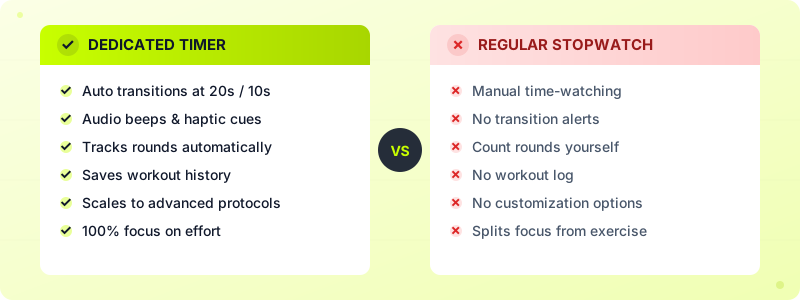
A stopwatch makes you the timekeeper. You have to watch the seconds, mentally track when to stop and start, and count your own rounds. That cognitive load directly competes with physical effort. Research on attentional focus shows that when athletes split their focus between counting and performing, exercise intensity drops by 10-15%.
A stopwatch has no transitions. There is no beep at 20 seconds, no buzz at the start of rest, no chime when a new round begins. You glance down, do mental math, and hope you did not miss the mark by three seconds. Over 8 rounds, those small errors compound. A 4-minute Tabata can drift to 4:30 or shrink to 3:40 depending on your guesswork.
A stopwatch cannot grow with you. When you are ready to add a warm-up, extend your rounds to 12, or try a 30/15 split for advanced conditioning, a stopwatch offers nothing. A dedicated timer app scales with your fitness level and lets you build progressively harder sessions.
A stopwatch does not track your history. You finish a grueling session and have nothing to show for it. A proper timer logs your completed workouts, so you can look back and see that you went from 3 sessions per week to 5 over the past month. That data fuels motivation.
For a step-by-step walkthrough on configuring intervals for any protocol, check out our timer setup guide.
How to Get the Most From Your Tabata Timer
Having the right app is step one. Using it effectively is where results happen. These tips will help you squeeze maximum value from every 4-minute block.
Start with the classic protocol. Before experimenting with custom intervals, master the standard 20/10 format at 8 rounds. This is the protocol Dr. Izumi Tabata tested in his original 1996 study, and it remains one of the most efficient conditioning formats ever measured. One Tabata set burns roughly 13-15 calories per minute — about double what steady jogging produces.
Use the preparation countdown. Most quality timer apps include a 10-second lead-in before the first work interval. Use those seconds to get into position and take two deep breaths. Starting composed rather than scrambling improves your output in round one.
Pick exercises that match the 20-second window. Tabata works best with movements you can perform at high intensity for 20 seconds without form breakdown. Bodyweight squats, push-ups, mountain climbers, and high knees are ideal. Avoid complex movements like barbell snatches — the setup time eats into your work interval. If you need exercise ideas, browse our list of beginner Tabata exercises for eight no-equipment options.
Stack multiple Tabata sets for a full workout. A single 4-minute set is a powerful finisher, but you can chain 3-4 sets with 60-90 seconds of rest between them for a complete 20-minute session. Use your timer app's multi-set feature to program the entire sequence in advance so transitions happen automatically.
Track your sessions weekly. Consistency matters more than intensity. Aim for 3-4 Tabata sessions per week and use your app's workout history to verify you are hitting that target. If you see a dip, you know exactly when your consistency slipped.
Pair with Apple Watch for hands-free training. If your timer app has a Watch companion, use it. A haptic tap on your wrist is impossible to miss, even when you are face-down in a burpee. You never have to look at your phone, which means you can leave it across the room and still hit every interval perfectly.
Try Interval Timer for Your Next Tabata Session
If you are looking for a tabata timer app for iPhone that checks every box on the essential list — and most of the nice-to-have list too — Interval Timer is worth a look. It ships with a built-in Tabata preset that launches in one tap, supports full interval customization, runs in the background with audio and vibration alerts, and includes an Apple Watch companion for wrist-based haptic cues.
There is no account to create. Your data stays on your device. The free version covers everything you need to run standard Tabata sessions, and the premium tier ($1.99/month or $19.99 lifetime) unlocks custom interval editing, workout history, and background music support.
Whether you are running your first 4-minute Tabata or stacking four sets into a 20-minute conditioning block, the right timer turns a chaotic experience into a precise one.
Download Interval Timer and start your next Tabata session with zero setup and total focus.